SignalScope X 13.1 Adds Support for miniDSP EARS Pro
Early this year, miniDSP released EARS Pro, a test fixture for headphones and earphones that, unlike the original EARS device, offers standard ear canal simulators (IEC 60318-4) and stereo output channels with a headphone amplifier (when purchased with the optional USB 2×2 audio interface). This makes the EARS Pro a much better device for performing dual-FFT-based frequency response measurements of both headphones and earphones.
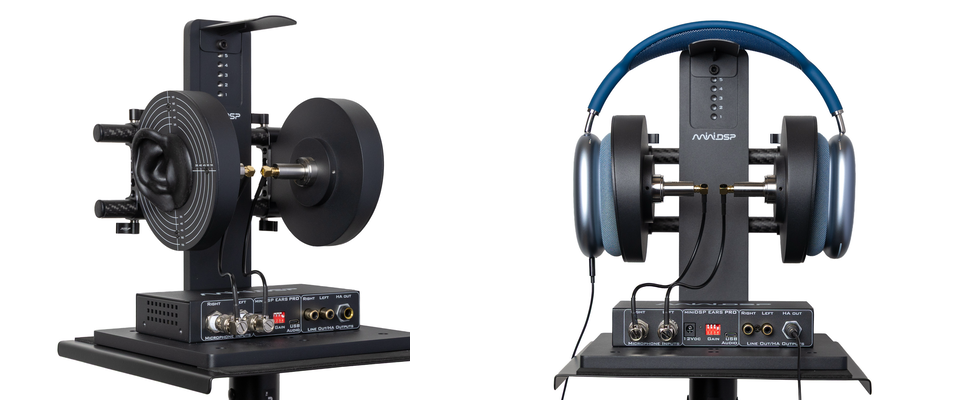
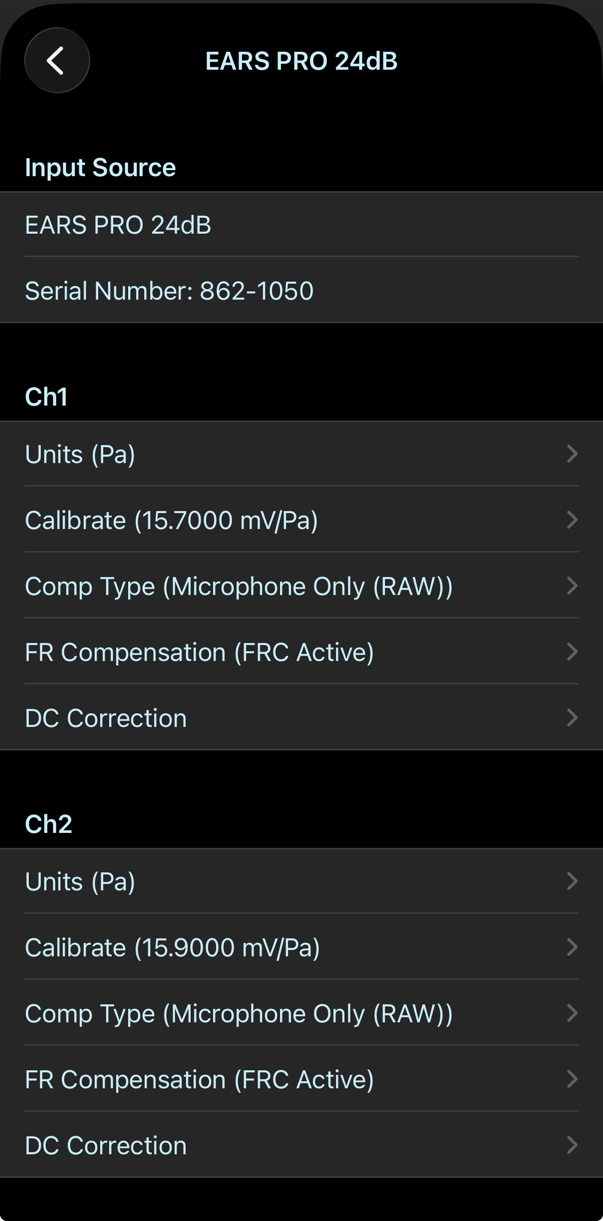
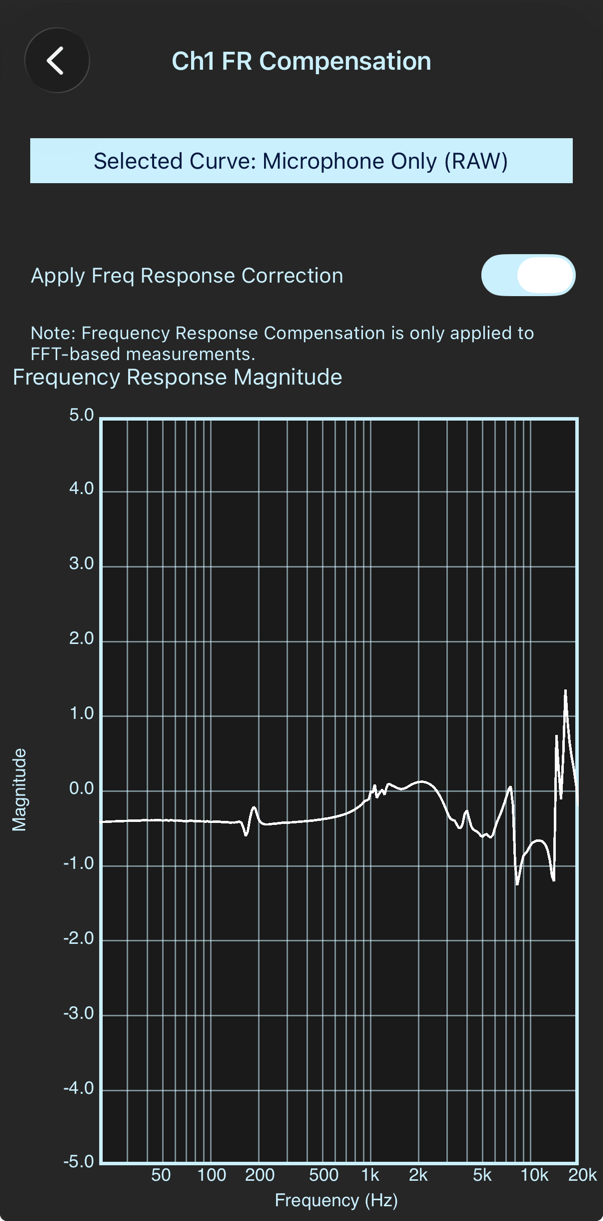
SignalScope X 13.1 adds specialized support for the EARS Pro test fixture’s USB audio interface and makes it so easy to get up and running with compensated frequency response measurements. When the interface is connected to your device, SignalScope will automatically read the serial number from its unique hardware identifier and download factory-supplied microphone sensitivity and frequency response data from the web (if it hasn’t already). From the factory-supplied data, SignalScope will configure the device voltage sensitivity and individual input channel acoustic sensitivities. By default, SignalScope will also apply frequency response compensation (FRC) for FFT-based measurements in select tools (including the FFT Analyzer, Spectrogram, and Dual-FFT Analyzer).
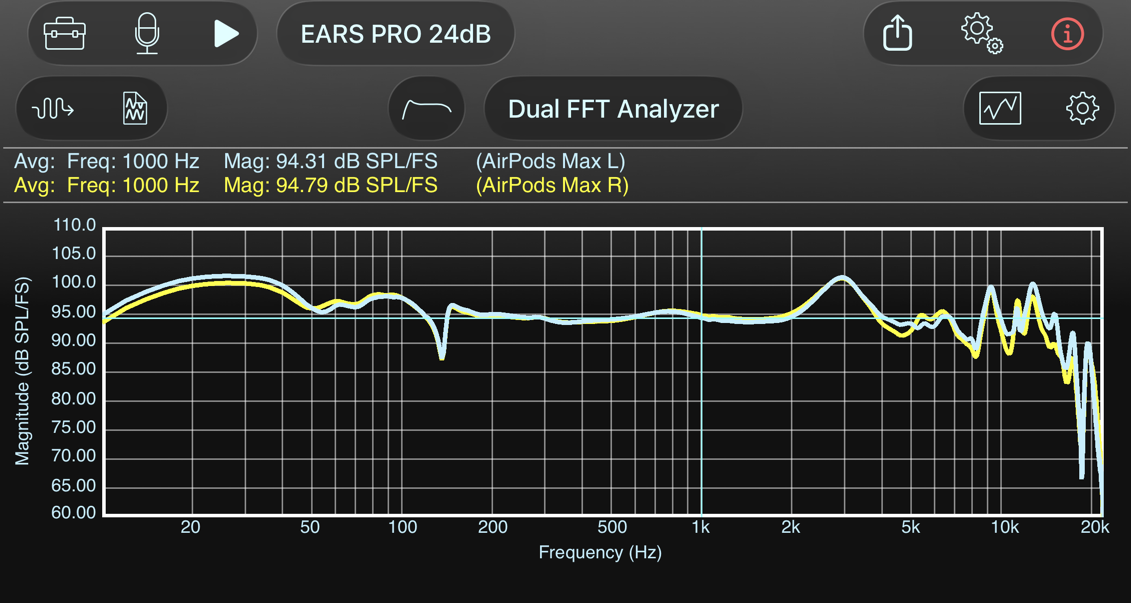
In short, all you need to do is plug in the EARS Pro and SignalScope X is ready to measure headphone frequency response with EARS Pro.
Notes
- SignalScope X will read the analog hardware gain which is selected on the front panel of the EARS Pro audio interface. Device sensitivity will automatically be adjusted to compensate for the gain selection. Microphone sensitivity doesn’t change when the analog hardware gain changes.
- If you manually calibrate the device voltage sensitivity, SignalScope X will remember your calibrated sensitivity and it will still make correct compensating adjustments based on the analog gain selection on the audio interface hardware.
- After changing the analog hardware gain, the EARS Pro documentation recommends power cycling the device. This is much easier if you have an inline power switch, like this one: https://amzn.to/4wUXpdn
- You can restore factory-supplied device sensitivity, microphone sensitivity, and frequency response data by tapping/clicking the Restore Factory Calibration button in SignalScope’s I/O Configuration menu.
- By default, input channel units will be set to pascals (Pa) and output channel units will be set to full-scale (FS). This means that frequency response measurements in the Dual FFT Analyzer will have units of Pa/FS. If you would like to see the frequency response of the headphones with units of Pa/V (which is potentially more useful, since it measures headphone sensitivity independent of the EARS Pro audio interface hardware), you can set the output channel units to V and set the output channel sensitivity to 2.828 V/FS. This works because the nominal full-scale output voltage of the EARS Pro interface is 2 Vrms, which yields an output sensitivity of 2.828 volts/FS. Of course, you can perform a more accurate voltage calibration on your own device if you have the means to do so.
- The Pro Tool Set is required in order to make frequency response measurements with the Dual FFT Analyzer.