Huge MultiTool Update
We’re pleased to announce a significant update to the MultiTool in version 13.4 of SignalScope X and SoundMeter X.
Pro users can now add more than one subtool of the same type to a MultiTool configuration, up to the total subtool limit of six. This means it is possible to do things like run a separate sound level meter on each of several different input channels, or measure the octave-band spectrum of a single input channel with different frequency weightings, simultaneously.
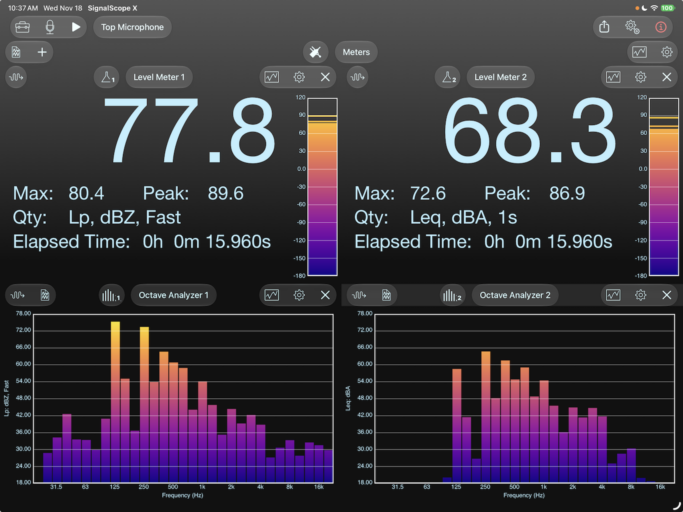
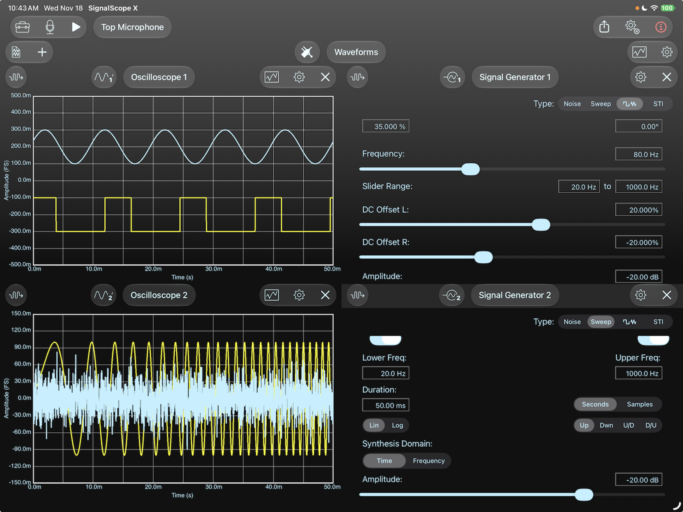
Configuration management has also received significant improvement with the following features (for all license tiers):
- Sort the configuration list alphabetically, by creation date, or by modified date (ascending or descending).
- Create, edit, or delete groups of configurations.
- Mark configurations as favorites. Favorite configurations will then be added to a permanent Favorites group, regardless of whether they belong to another user-defined group.
- Multiple selection: Multiple configurations may be selected and simultaneously favorited, moved to a group, or deleted.
- Swipe right on a configuration to favorite/unfavorite it. Swipe left to delete it.
- Manual reordering of configurations is still supported on iPhone and iPad.
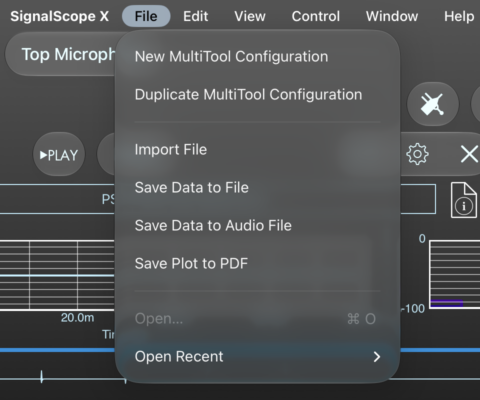
- In addition to creating a copy of the current configuration, it is now possible to create a new empty configuration. Either of these may be done with new File menu items (on Mac/iPad) or keyboard commands (⌘-D or ⌘-N, respectively).
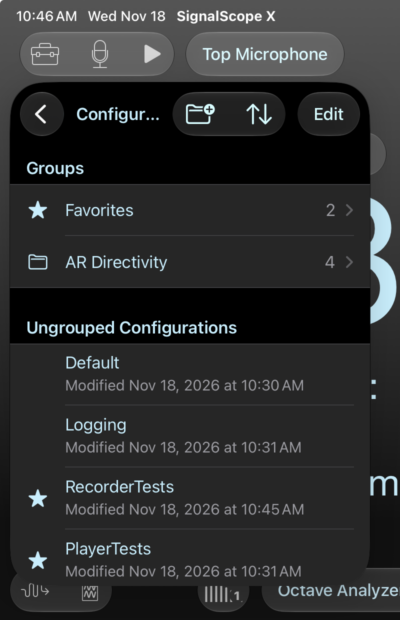
With the changes to configuration management, the configuration options have been moved from the MultiTool Options menu to a new Configurations menu, which is accessed with the data file icon on the left end of the MultiTool’s toolbar.
Version 13.4 of SignalScope X and of SoundMeter X is now available for download on the App Store.